


Skip to content
Your community. A little more Pengu.

A little penguin.
A whole world
to play.

Grow a farm, explore the Wilds, and bring your Discord community together.

Pengu waves from a snowy shore beside a sunlit Arctic inlet.
Make yourself at home
A new favorite thing is waiting.
Find your next favorite

Small starts. Big adventures.

Explore all features
A little vote. A useful reward.

Cheer on your favorite penguin.

Each confirmed new vote gives 5,000 coins, 100 Pengu XP, and one free Economy Mystery Box.

Check /vote for reward availability, your next vote time, and streak bonuses. Opening the link does not award a reward.

Part of the community

Find Pengu on Top.gg.

Visit Pengu’s listing for community votes and server stats, or leave a little support for your favorite penguin.
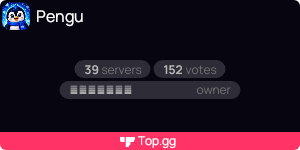
Pengu’s Top.gg card with server count and votes; owner CrypticView Pengu on Top.gg (opens in a new tab)
For your community

A clear place for every setting.

Choose the features that fit your server.

Open dashboard
Pengu Premium

A little extra starlight.

Make it yours

More ways to belong.

Build your own coin empire

One Wallet and Bank, careers, businesses, contracts, and a world of in-bot collectibles.

Explore the guide

Progress worth making yours

Profiles, achievements, Quest Book chapters, cosmetics, and the Level-based Pengu Prestige ladder.

Explore the guide

Keep the community connected

Birthdays, welcomes, self-roles, polls, suggestions, reminders, giveaways, and counting.

Explore the guide
Here to play?

Your first adventure starts in Discord.

Use the Help menu to find the right hub. Slash commands work without remembering the server’s text prefix.

  1. Open /helpBrowse what Pengu can do in your server.
  2. Choose something to tryTry /farm v, /games browse, or /profile.
  3. Follow your curiosityUse the hub’s menus, goals, and collections.
Read the player quick start →
Running the server?

A clear place for every setting.

Invite Pengu, choose the systems that fit your community, then set their channels and permissions.

  1. Begin with /admin setupCheck the first-time setup checklist.
  2. Choose features and channelsKeep the experience right for your members.
  3. Save, test, and settle inOpen /admin panel for private tools, previews, and fresh permission checks.
Read the server setup guide →
Explore the private Admin hub →